For painting contractors
Show it paintedbefore you quote.
Take a photo of the house on the estimate visit. Inkfinish finds the walls, trim, shutters and doors once; after that every color you type in shows on the real house straight away, in its own light and shadows.
Sample houses are free, no sign-in. Sign in and your first house is free too; then 5 credits a house.
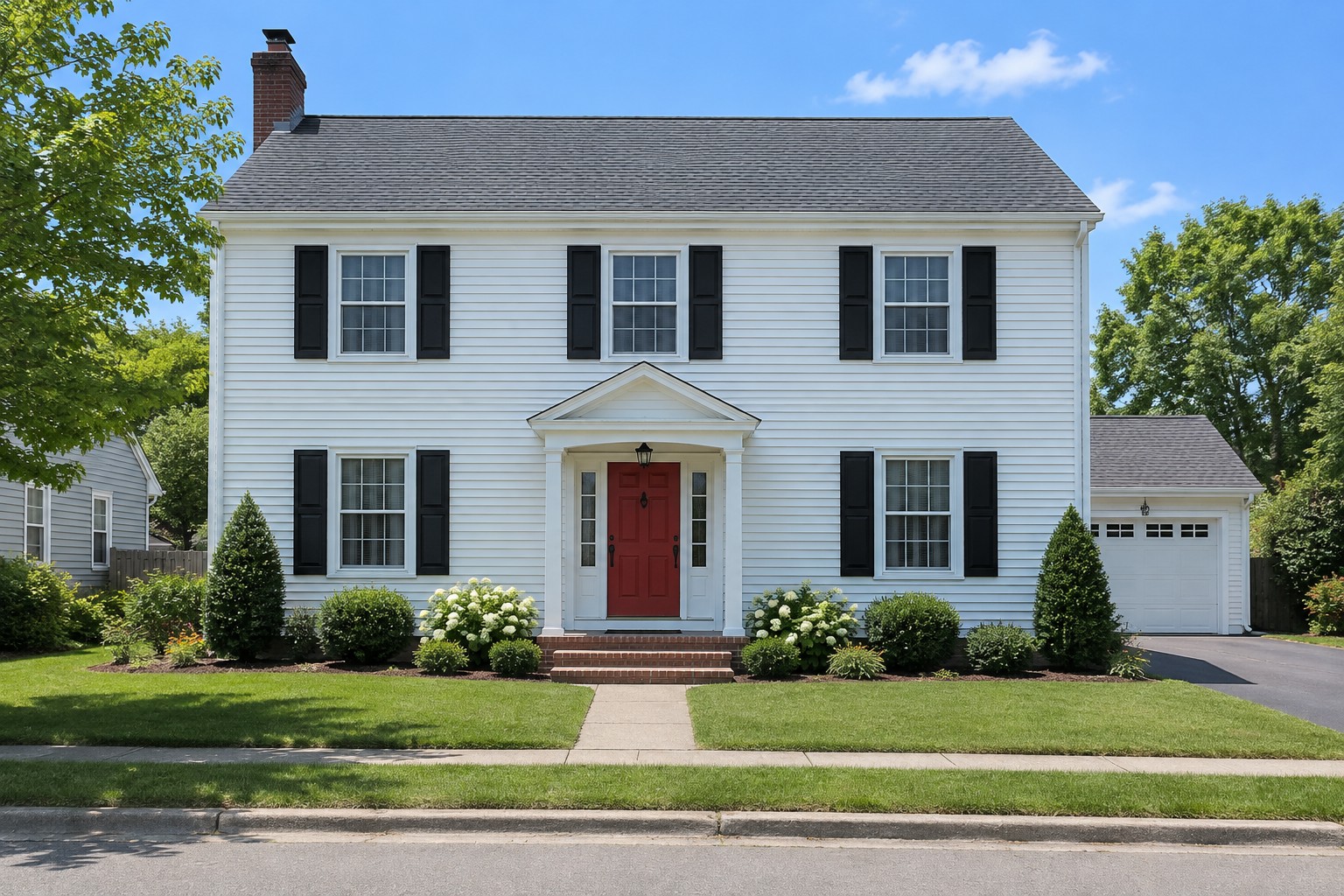 Repainted
Made for the estimate visit
The real house, repainted
The color is applied to the parts found, keeping the photo's light, shade and siding texture. The roof, brick, windows and garden stay exactly as photographed.
Found once, then every color free
Finding a house's parts costs 5 credits. After that, try as many colors as the client wants, by code, with no wait and no extra cost.
One sheet to send
Line up three options and download them side by side with every color code listed, under your business name and logo. Text it or email it to the client after the visit.
From photo to options sheet
- 1Photograph the front of the house from the street, in daylight.
- 2Upload it. The walls, trim, shutters, front door and garage door are found in about 30 seconds.
- 3Type in the color codes you are considering, and line up to three options.
- 4Compare them with the client, then download the options sheet and send it.
| Pack | Price | Houses | Per house |
|---|---|---|---|
| Starter pack | $19 | 20 | $0.95 |
| Project pack | $59 | 100 | $0.59 |
| Studio pack | $179 | 400 | $0.45 |
Paid once, no subscription. The same credits also cover renders and listing photos. See all pricing
What to expect
- Colors on a screen are approximate: monitors, phones and daylight all differ. Check a sample on the house before deciding.
- It works on exteriors photographed from the front. A part it does not find, such as a narrow sidelight, stays as photographed.
- Brick, stone, the roof and the chimney are never painted.
Questions contractors ask
Does it change the house?
No. Only the pixels of the walls, trim, shutters and doors change color, using the photo's own light. Nothing is redrawn, so windows, the roof, brick, plants and the street stay exactly as photographed.
Can I use my paint brand's colors?
Yes. Type the color's hex code, which most paint brands list on each color's page, or pick it with the color picker. Screen colors are approximate, so check a sample on the house before deciding.
How long does it take?
Finding the parts of a house takes about 30 seconds. Every color after that shows instantly.
What does it cost?
Your first house is free when you sign in, with a watermark. After that, 5 credits a house from a one-time credit pack or a plan; trying colors, comparing options and downloading the sheet cost nothing more, and fixing a part the first pass missed costs 1 credit a tap. Our sample houses are free without signing in.
What if it misses a part, or paints the neighbor's house?
Choose what the part should be (or "Not painted") and tap it on the house; it is found and fixed in a few seconds, for 1 credit a tap, with undo.
Is my client's photo kept?
Yes, in your account, so you can reopen the house and its color options later: the photo, the parts found and your options stay until you delete the house. Our segmentation provider is asked not to keep the photo.
Will my client see your name?
No. The options sheet shows your business name, contact line and logo, the house, the options and the color codes, with no Inkfinish branding.
Does it work on interiors?
Not yet. House colors is for exteriors photographed from the front.
Try colors on a sample house now
No sign-in for the samples. When you are ready for a client’s house, a credit pack covers it.