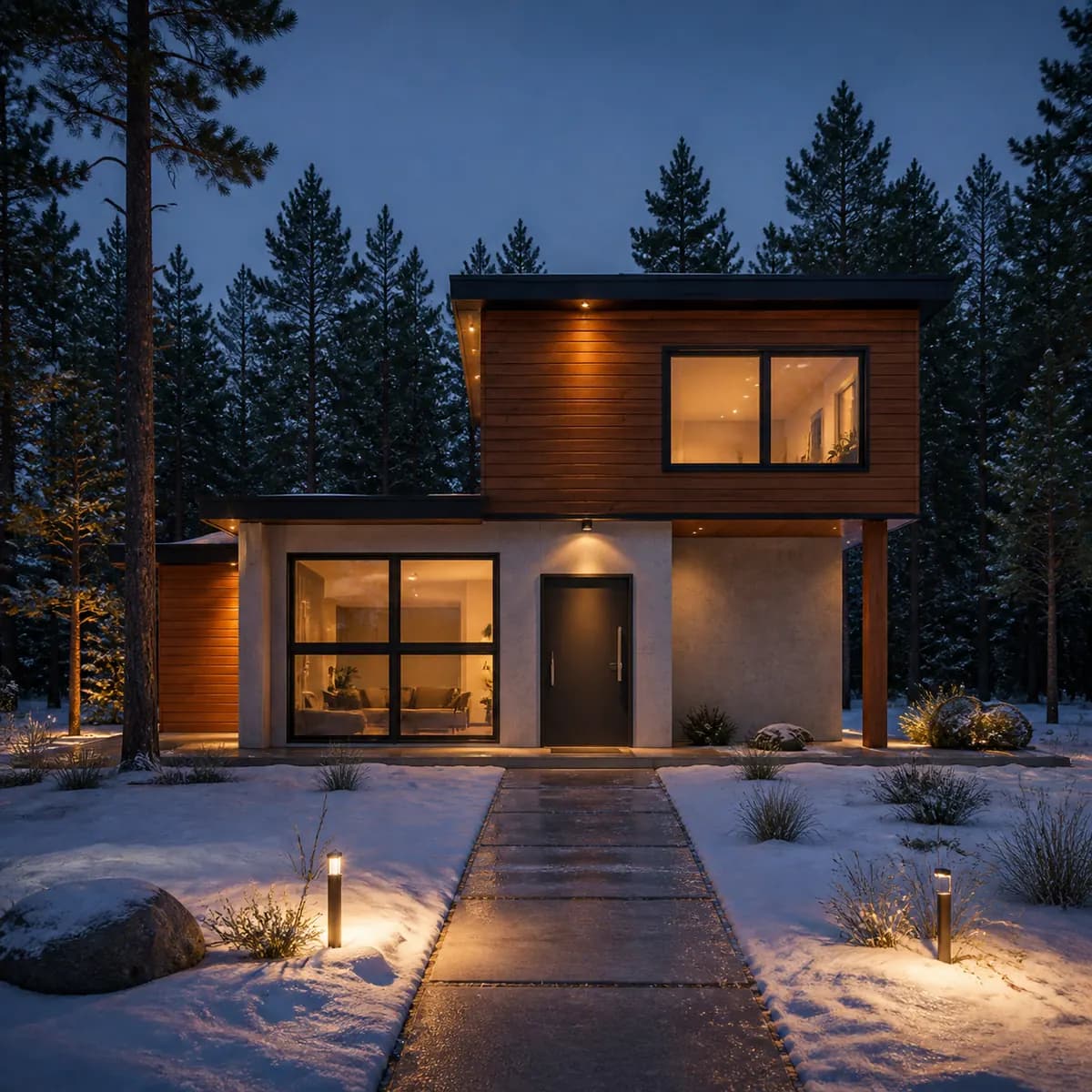
Virtually Paint Your House Exterior, Free, From One Photo
By Inkfinish · · 8 min read
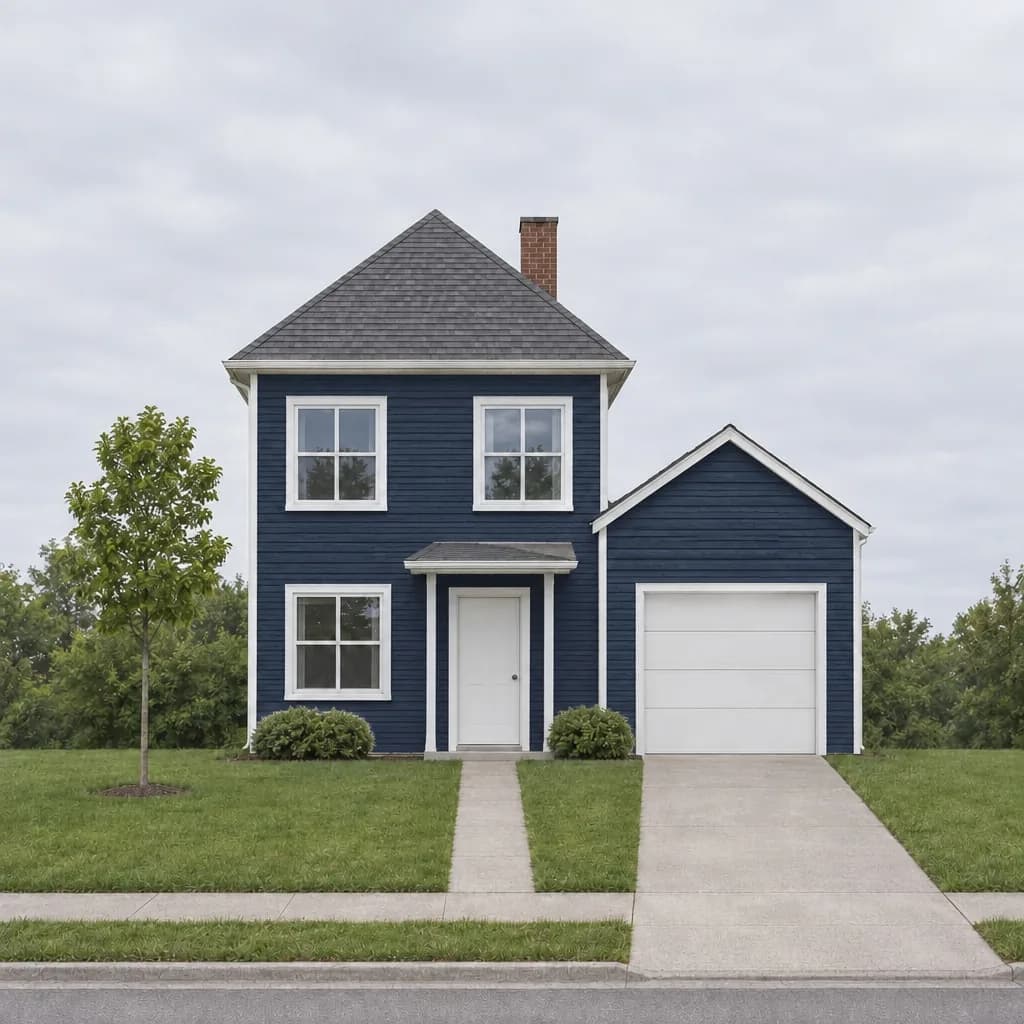 Navy siding
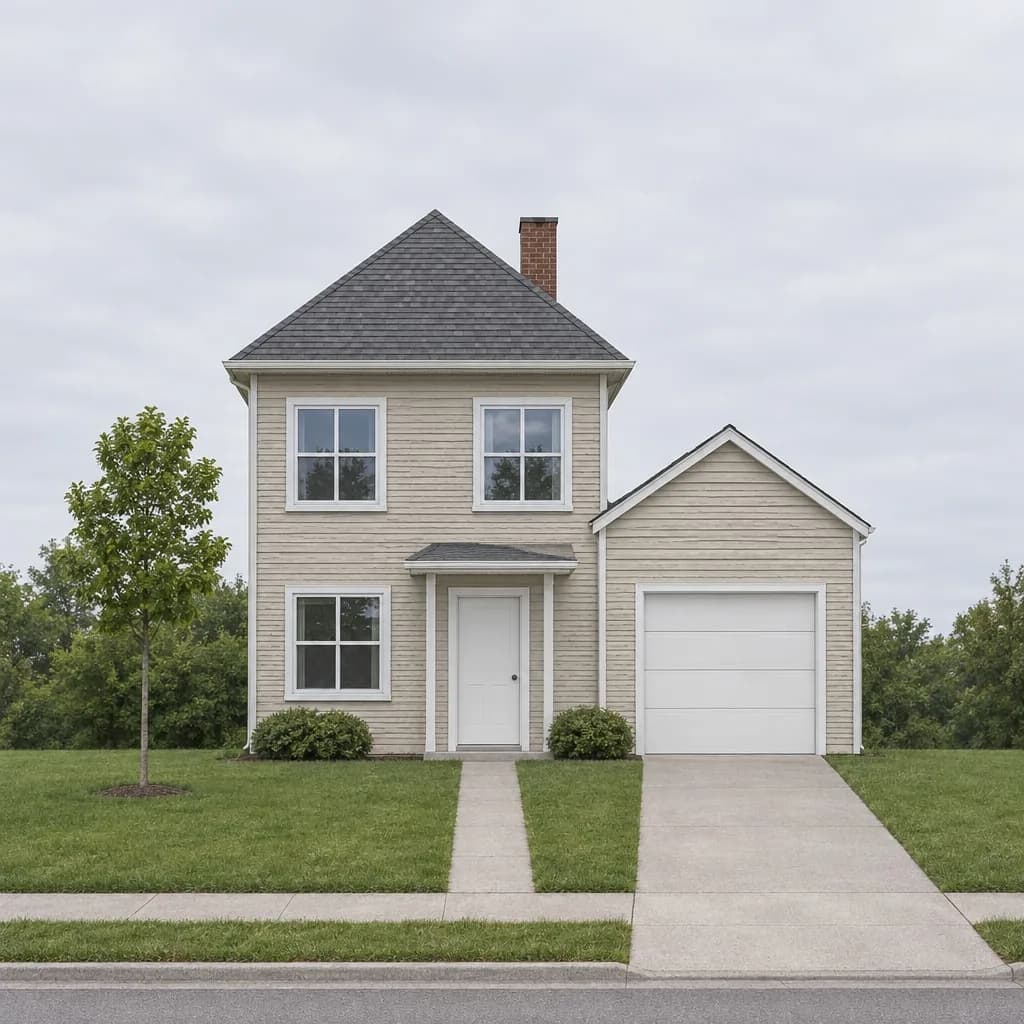 Before
Choosing an exterior colour from a two-inch paint chip is how houses end up a shade nobody expected. A paint visualizer that works from a photo of your house shows the colour at the size it will really be: the whole front, with your roof, your windows and your garden around it.
This guide does exactly that, start to finish, on one ordinary house. It shows the photo we started from, the words typed for each colour, three schemes side by side, what changed that should not have, and how to get from a preview to paint on the wall. Every prompt is quoted word for word so you can reuse it.
One note before we start: the house below is not a real address. We drew a simple sketch of a house and rendered it into a realistic photo in Inkfinish, so we could publish every step. A photo of your own house works the same way.
How to virtually paint your house exterior from one photo
The whole process is five steps, and the first render takes well under a minute.
- Take one photo of the front of the house. Straight on, from across the street, the whole house in frame.
- Upload it to the studio. Sign in with a Google account and your first 3 renders are free.
- Say the new colours, and what must stay. The second half matters more than the first (more on this below).
- Compare the result with your photo. Drag the handle across it and look for anything besides paint that changed.
- Try the next scheme. Each message makes a new version and keeps the old ones, so you can line them up.
The photo: what makes a good starting picture
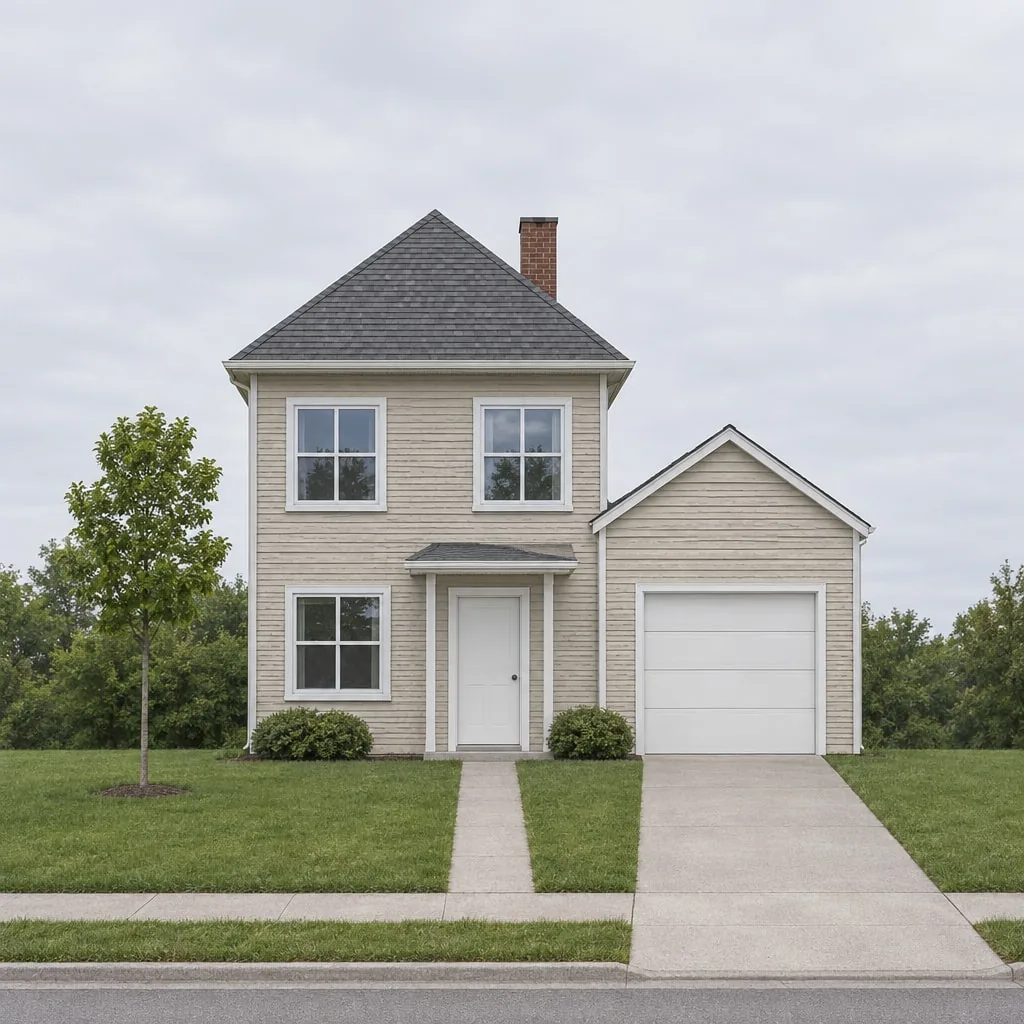
Here is the photo every colour below was made from: a two-storey house with faded beige siding, white trim, a white door under a small porch roof, a brick chimney and a single garage, on a grey afternoon.
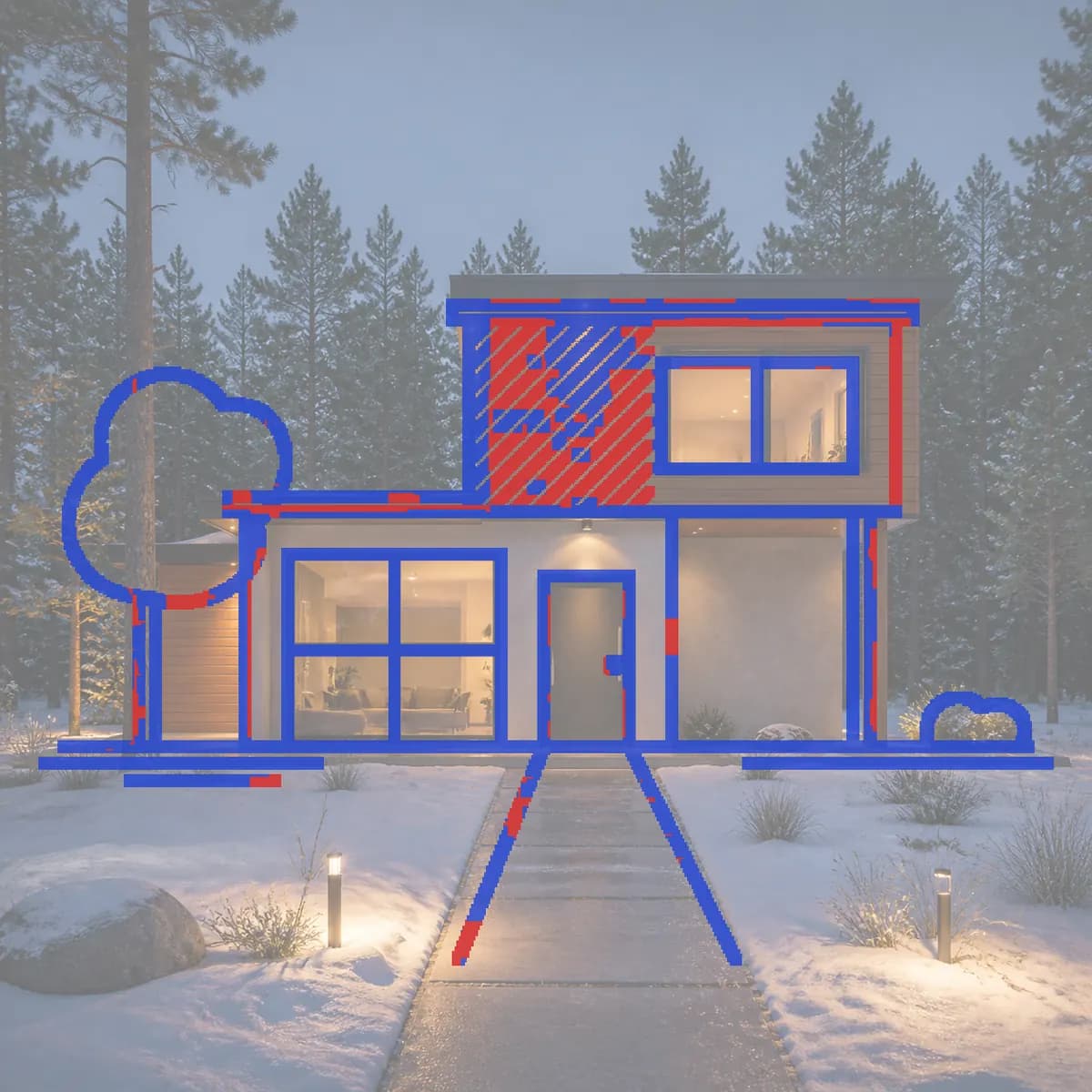
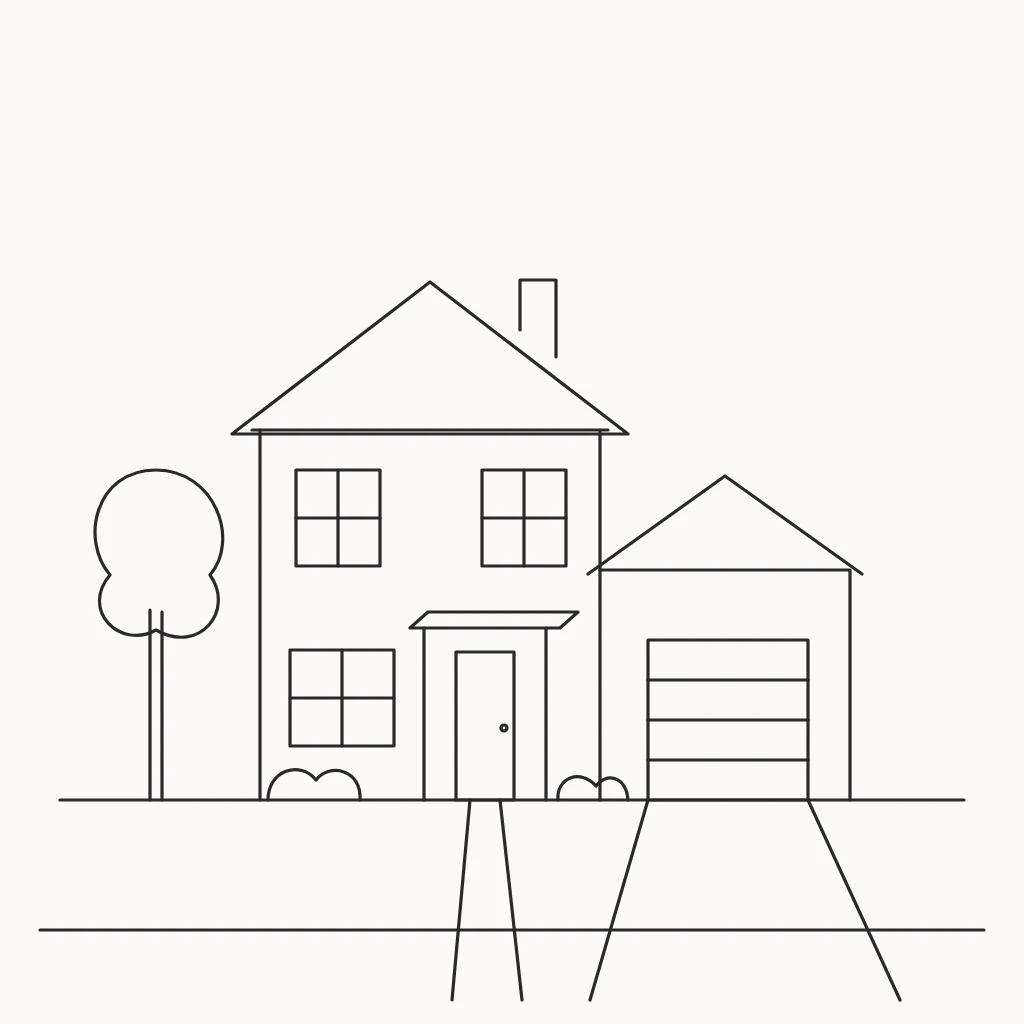
We made it from this sketch, with one sentence describing the siding, trim, roof and an overcast day. The render kept 79% of the sketch's lines; it drew the house a little larger in the frame than the drawing and gave the garage door more panels.
What makes it a good starting point:
- Straight on and level. The walls are square to the frame, so every board of siding is visible and nothing is hidden behind a corner.
- Overcast light. Flat grey light shows colour most honestly. Bright sun bleaches the sunny side and darkens the shady one, and the model may carry that contrast into the new colour.
- The whole house in frame, with some ground and sky. The model needs to see where the walls stop.
- Nothing in front. Cars, ladders and people across the facade are things the model has to guess behind.
A phone photo is enough. Resolution matters less than a clear, level view.
What to type: the words that change only the paint
A paint preview is only useful if the house is still your house. The words have to say two things: what the new colours are, and that nothing else may change. Here is the first message, word for word:
Paint the siding deep navy blue and keep the trim crisp white. Change only the paint colour: keep the house, roof, chimney, windows, door, garage, garden, sky and camera exactly the same.
And the result:
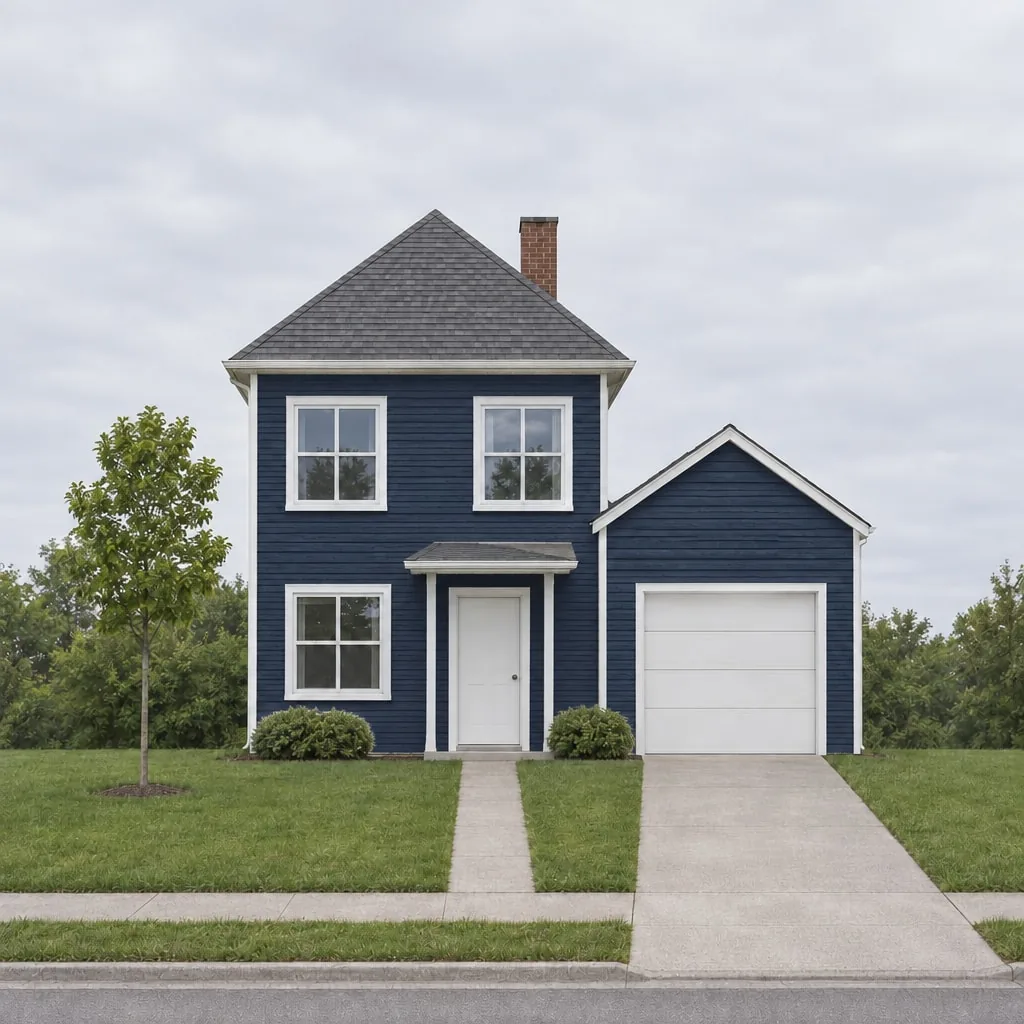
The siding is navy on the main house and the garage, the window and door trim stayed white, and the roof, chimney, windows, shrubs, lawn, driveway and sky are where they were. That "keep … exactly the same" list is doing most of the work: name everything you want left alone, in plain words.
A few habits that help:
- Name each part separately. Siding, trim, front door, garage door, shutters, gutters. "Paint the house blue" leaves the model to decide what "the house" covers.
- Describe the colour, not only its name. "Deep navy blue" or "soft sage green" works better than a paint brand's colour name on its own. If you have a brand colour in mind, give both: "Hale Navy, a deep blue-grey navy".
- One change per message. Paint, then sky, then lighting, in separate messages. Each one is a new version you can go back to.
Three colour schemes on one house
Each scheme below was one message, sent after the one before. A follow-up message changes the version you are looking at, so each one starts from the previous result rather than from the beige original.
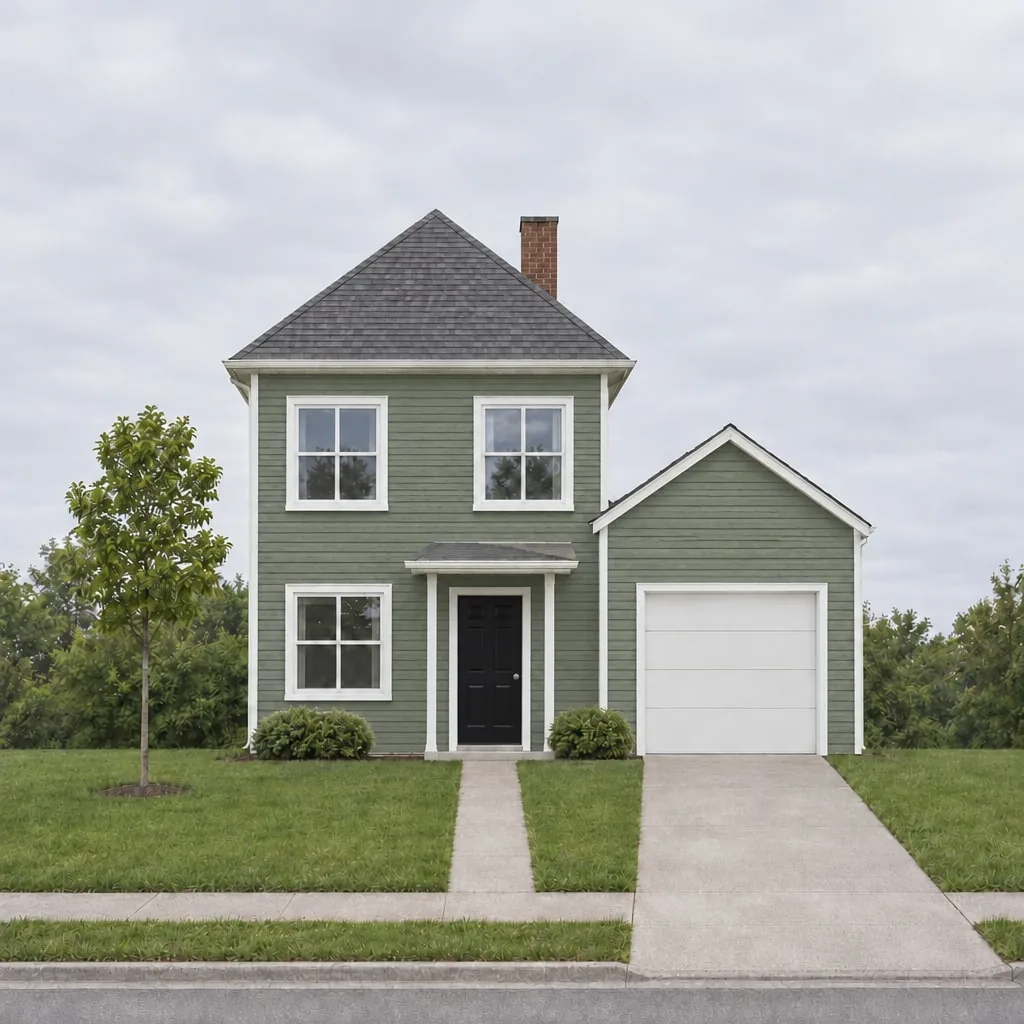
Soft sage green, white trim, black front door:
Paint the siding soft sage green, keep the trim white and paint the front door black. Change only the paint colours: keep the house, roof, chimney, windows, garage, garden, sky and camera exactly the same.
Warm white siding, black window trim and door:
Paint the siding warm white, paint the window trim and the front door black, and paint the garage door warm white. Change only the paint colours: keep the house, roof, chimney, windows, garden, sky and camera exactly the same.
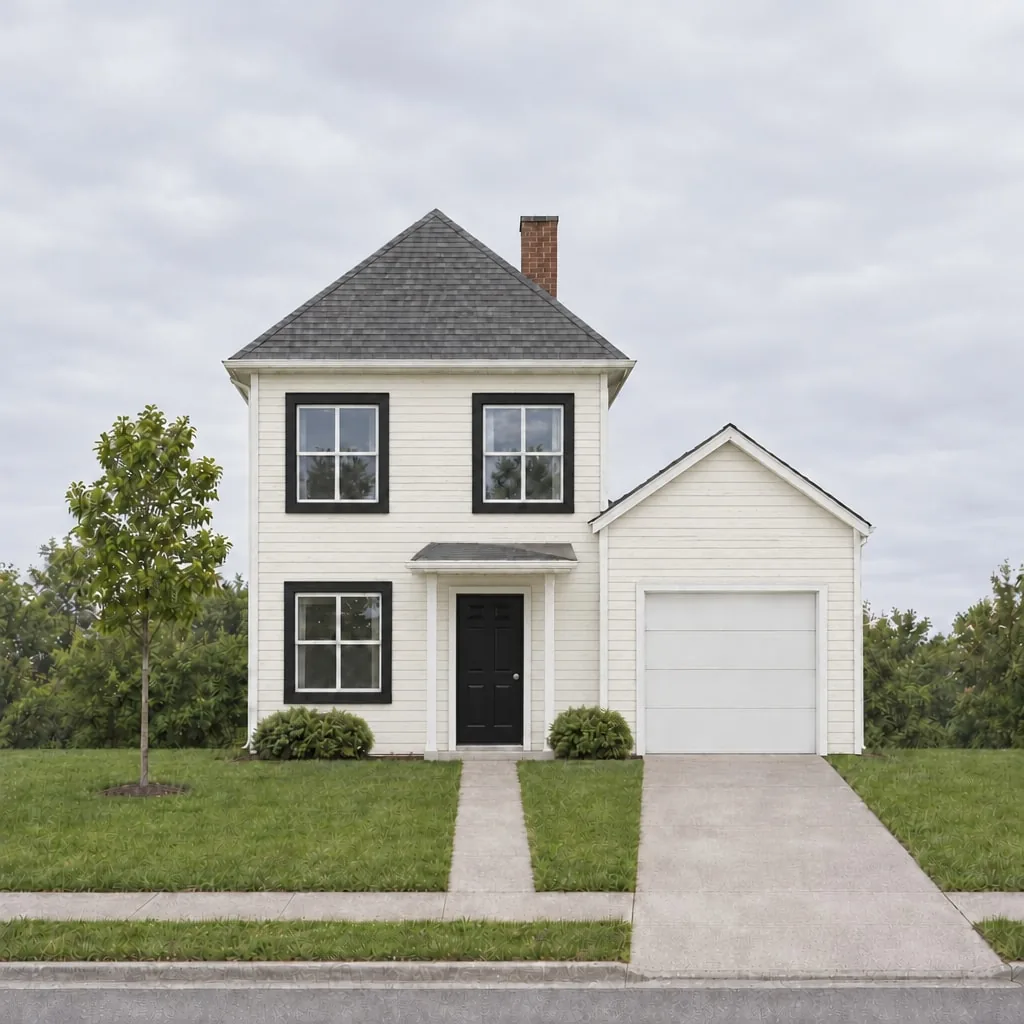
Seen side by side, the three make the decision easier than any chip: the navy makes the white trim and garage door stand out hard, the sage reads softer and lets the black door lead, and the white with black trim looks the most modern and shows the most dirt.
| Scheme | Siding | Trim | Front door | What it does |
|---|---|---|---|---|
| Navy | Deep navy blue | White | White | Strong contrast; the white garage door becomes a feature |
| Sage | Soft sage green | White | Black | Softer; the door is the one dark accent |
| White | Warm white | Black | Black | Crisp and modern; the window frames carry the look |
Check what changed besides the paint
A render is a new image, not a filter over your photo, so always check it. In the studio, drag the handle across the result to compare it with the version before. Look for:
- Windows and doors: the same number, in the same places, with the same panes.
- Roof line and garage: the same shape and pitch.
- Garden: shrubs and trees where they were. Small differences in leaves are normal; a missing shrub is not.
- Anything you named as trim: did the model paint the right parts?
In our three schemes the house held: same windows, door, garage and roof in every version. If one part does change, you do not need to start over. Use Change just this: brush over the part, say what it should be ("the white front door from the original"), and only that area is redrawn.
Paint just the door, the trim or the garage
Often the question is smaller than the whole house: would a black door work? Would dark trim look better? Change just this is built for that. Brush over the door, type "a black front door with a satin finish", and the rest of the image is left alone. It is the cheapest way to test accent colours, and it costs the same as a render.
Same colour, different light
The same paint looks different at noon, under cloud and at dusk. Before committing, it is worth seeing your favourite scheme in the light the house actually gets. Here is the white scheme with only the sky and light changed:
Replace the grey overcast sky with a clear blue sky and a few soft white clouds, and match the daylight on the house to it, with gentle sunshine. Keep the house, colours, roof, chimney, windows, door, garden, driveway and camera exactly the same.
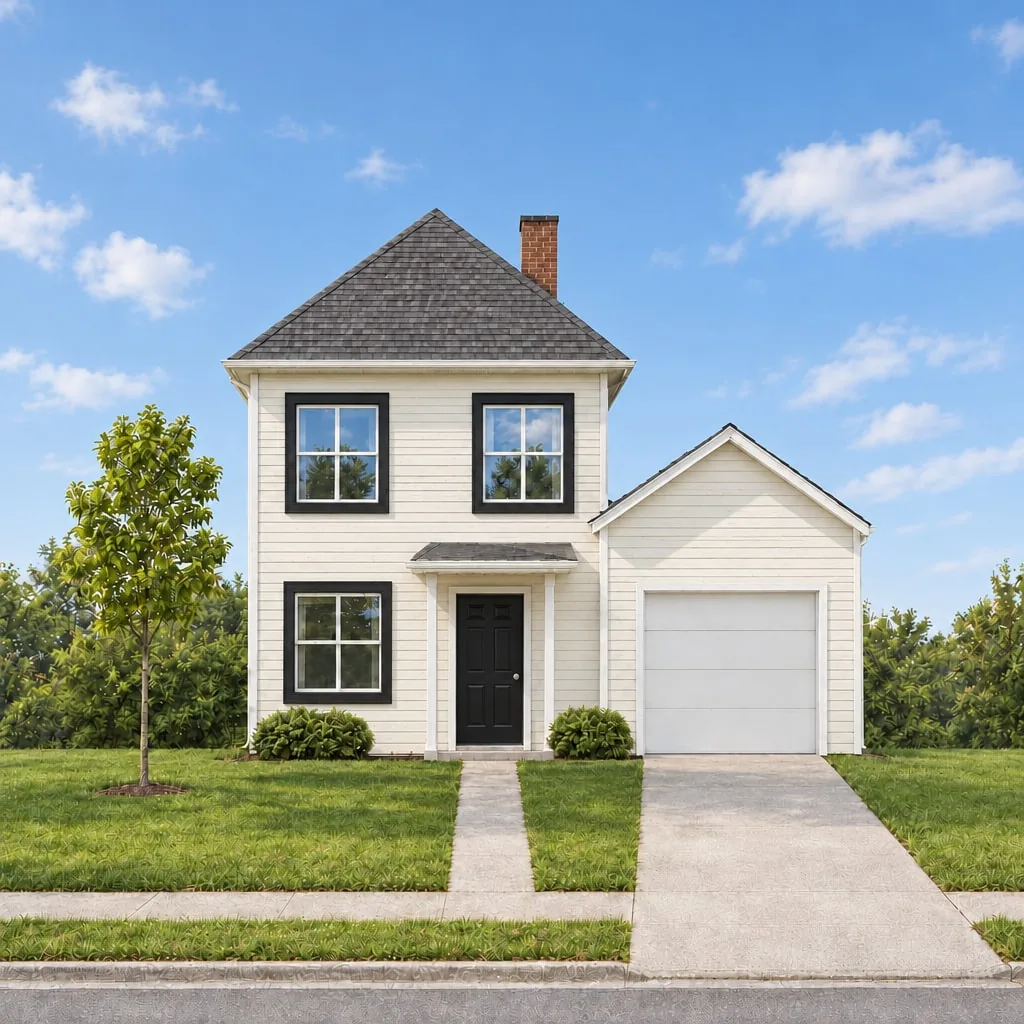
In sunshine the warm white reads cooler and brighter, and the black trim gets sharper. Matching the light can also change how grass and trees look, so check the garden after any lighting change. For listing photos, the same idea becomes sky replacement and virtual twilight.
From preview to real paint
A preview narrows dozens of colours to two or three. It does not replace the steps that make paint come out right:
- Paint test swatches. Buy sample pots of your two or three finalists and paint large patches, at least two feet square, on the sunny side and the shady side.
- Look at them at different times of day. Morning, midday and evening, for a few days. The render showed you the direction; the swatch shows you the exact shade.
- Choose the sheen. Flat, satin and gloss change how a colour reads. Trim and doors are usually a higher sheen than siding.
- Check the rules that apply to your house. Homeowners' associations and historic districts often restrict exterior colours. A render is a good way to show a board or a neighbour what you have in mind, but ask first.
- Share the renders with your painter. A picture of the whole house in the new colours is clearer than a list of paint names, especially for which parts are trim.
What it costs
Every render and every Change just this edit costs 5 credits; three schemes plus a lighting check is four renders.
| Free | Standard | Pro | |
|---|---|---|---|
| Price | $0 | $15 a month | $45 a month |
| Renders | 3 to start | 160 a month | 600 a month |
| Watermark | Yes | No | No |
Sign in with a Google account and your first 3 renders are free. If you would rather not subscribe, credit packs are paid once and last six months. The pricing page has the details.
A few honest limits
- It is a preview, not a colour match. Screens differ, and the model interprets "sage green" its own way. Test swatches decide the final shade.
- It redraws the image. Small details such as leaves or the texture of a driveway can shift between versions. The house itself held in every example here, but always compare.
- One photo shows one side. Repaint the side and back from their own photos, with the same words, so the schemes match.
The fastest way to know whether this helps is to try it on your own house: one photo, one sentence, and you will see the front of your house in a new colour in under a minute. Open the studio and try your first scheme free.