Does AI Rendering Keep Your Design? How to Check
By Inkfinish · · 7 min read
You draw a house with a low roof and three windows. The render comes back beautiful, with a steeper roof and four windows. So, does AI rendering keep your design? Mostly, when it is guided by your drawing, but not always, and not always in the way a single score suggests. This post shows how to check any render against your sketch, how the Inkfinish line check scores it for you, and how to read the result honestly, using four real renders and their real scores.
Why AI renders drift
A model generating from text alone invents structure: ask for "a modern house" and it decides the massing, the openings and the roof. Image-guided rendering starts from your drawing and is asked to keep it, which holds the structure firmly. It is still a generative model painting every pixel, though, so small slips happen:
- an edge nudged a few pixels, so a window grows or a wall shifts;
- two close lines merged into one;
- a hatch read as a material, which is usually what you wanted;
- a faint line read as nothing at all;
- something added that you never drew, such as a side wing or a fence.
Shifts and merges change your design; additions add to it. Both are what people mean by "the AI changed my sketch", and both are worth catching before a client does.
What "kept" should mean for an architect
Not every line in a sketch is design. When you judge AI render accuracy, the lines that matter are these:
- Openings: how many, where, how big, and the mullion pattern.
- Proportion: solid to glass, one story against another, overall width to height.
- Roofline: the silhouette, the eave line and any overhang.
- Massing: which volume sits where and what projects past what.
Plenty of pencil is not design: hatching (a note about material), perspective lines, a ground line, a sketched shadow. A render that turns hatching into cedar has kept your design.
How to check any tool: overlay the sketch
The test works with any renderer. In an image editor, put the sketch over the render at the same size, set the sketch layer to about 50% opacity, and zoom into the openings and roof edges. Geometry drift shows up as a doubled edge.
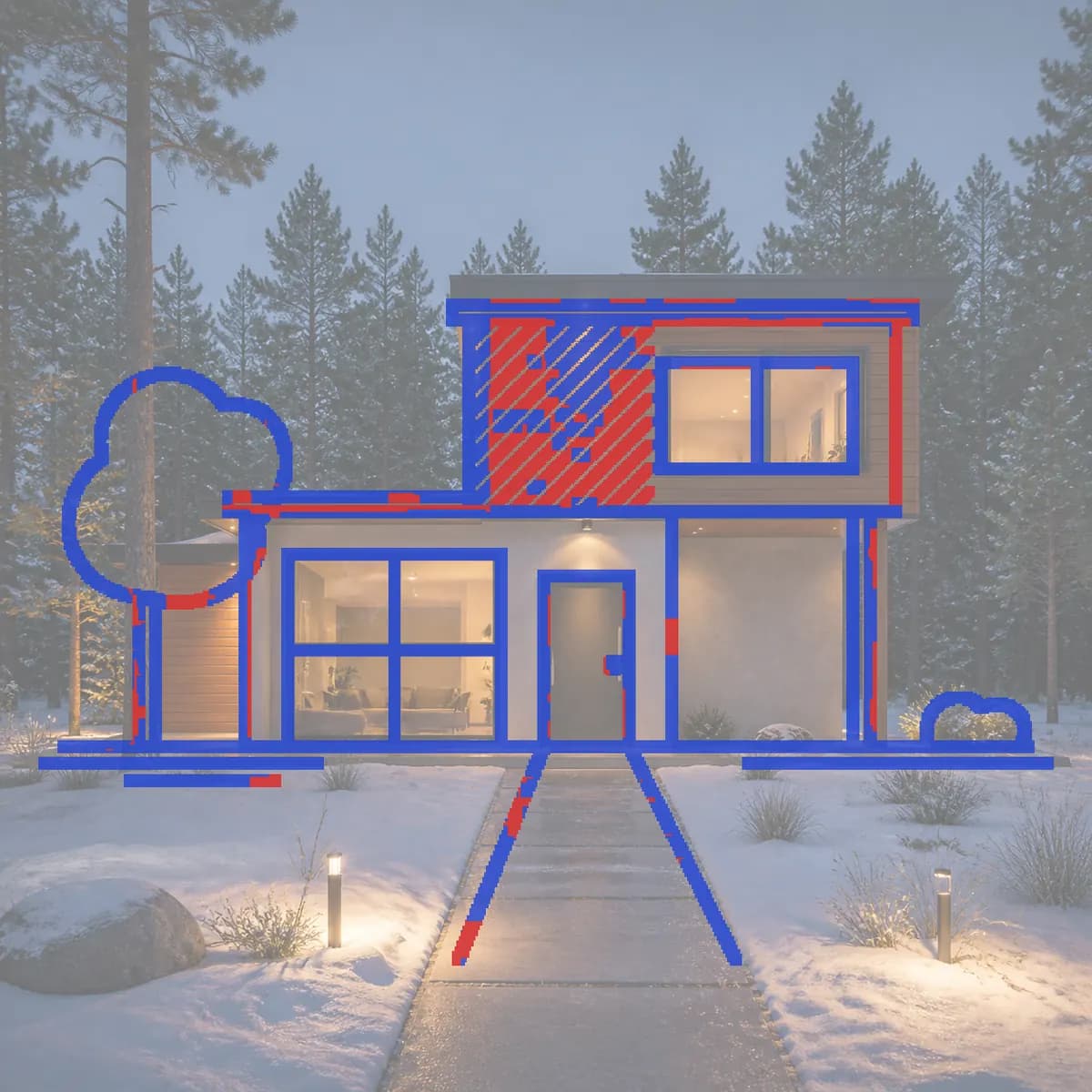
The Inkfinish line check does this automatically and counts. It finds the lines in your sketch, looks for an edge in the render within a few pixels of each one, and reports the share it found under the render: "82% of your lines kept". "Show lines" draws your sketch over the faded render, blue where the render has a line nearby and red where a line was lost or moved.
Two things follow from how it counts:
- Added things do not lower the score. A horse in the yard sits on no sketch line, so the check never sees it. The score measures what was kept, not what was added.
- Blue means "some edge nearby", not "the same element". Texture or a coincidental edge can turn a line blue.
The line check has three bands. At 85% and above it shows the score alone. From 45% to 84% it adds "check the red ones". Below 45% it adds "parts may have changed". Even the lowest band asks you to look rather than declaring the render wrong, because the number cannot know which red lines matter.
Does AI rendering keep your design? Four real checks
All four are real renders from the studio's sample sketches, with the scores the check measured.
The night house: 82%
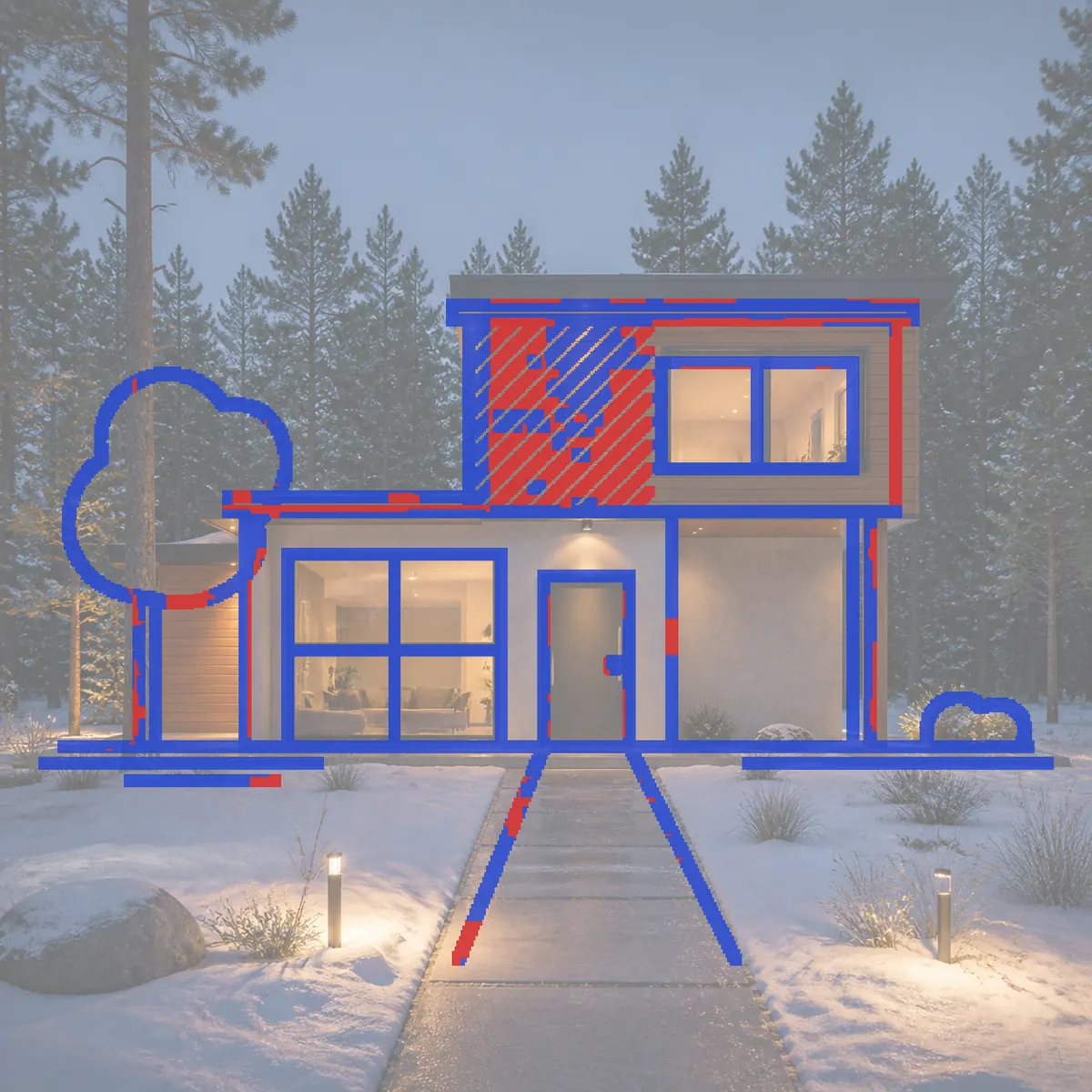
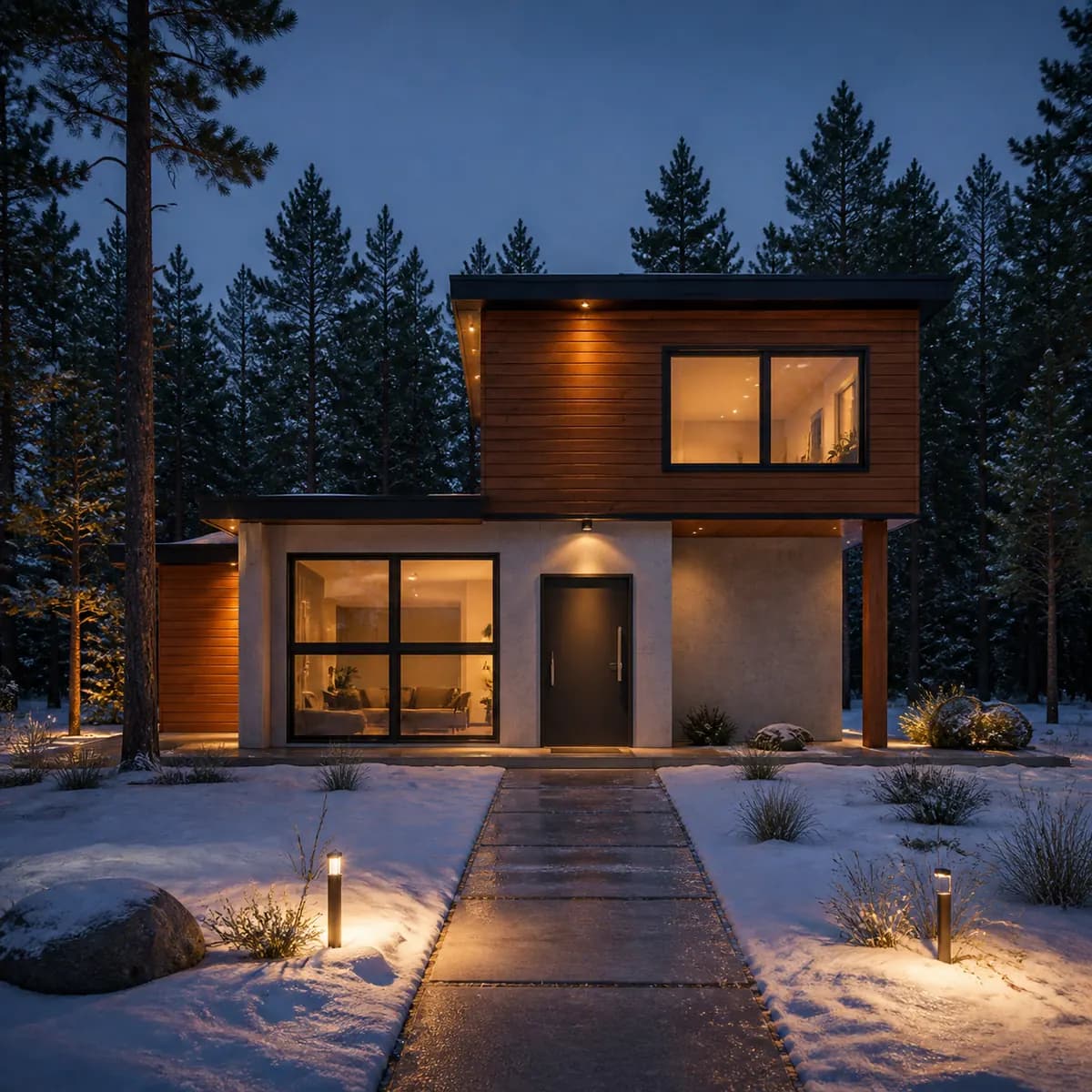
The red sits almost entirely inside the hatched upper block, where diagonal hatching became horizontal cedar boards: the design kept and the material note obeyed. A few short red marks run along the upper roof edge and around the tree. What the score cannot show is the small cedar-clad wing the render added behind the tree on the left. The geometry you drew held; the addition is yours to accept or remove.
The cottage: 89%
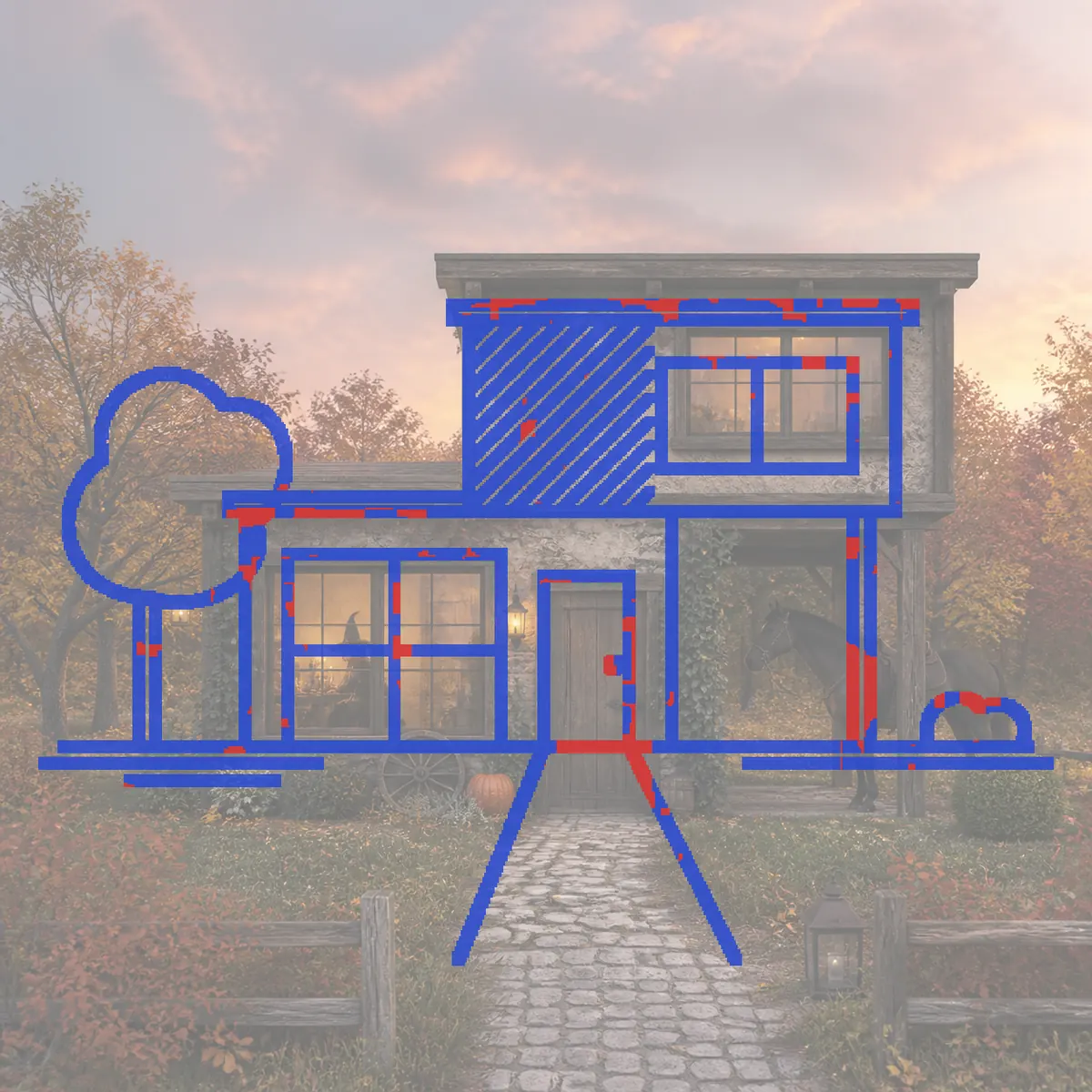
Same sketch, a far bigger change of style, and a higher score. The massing, openings and roofline are blue: the geometry held. The hatched block is blue too, partly because rough stone is full of small edges for the hatch lines to land on. The horse, the fence, the cart wheel and the witch are additions the score does not count. A higher score is not a more faithful render; it means more of your lines have an edge close by.
The living room: 61%
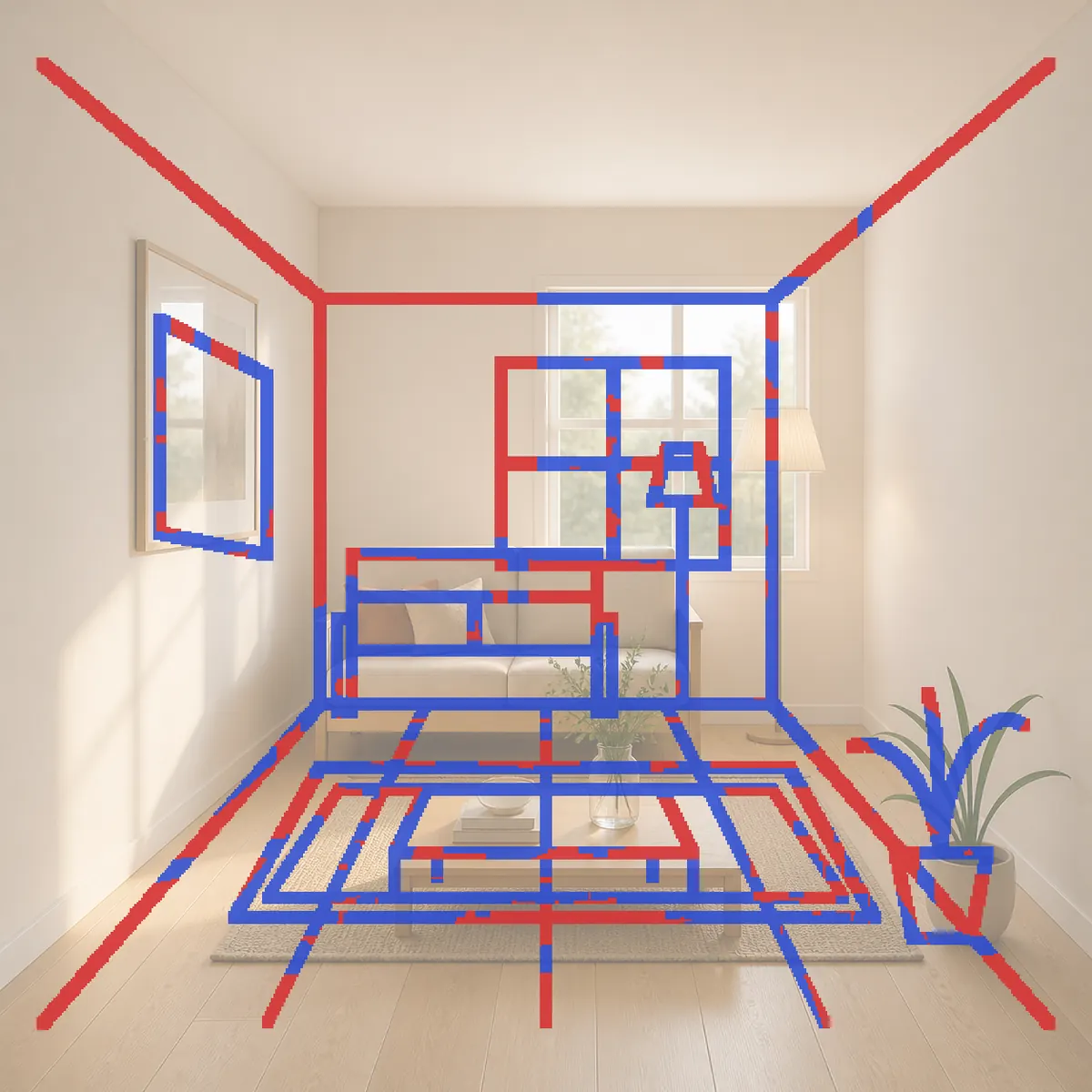
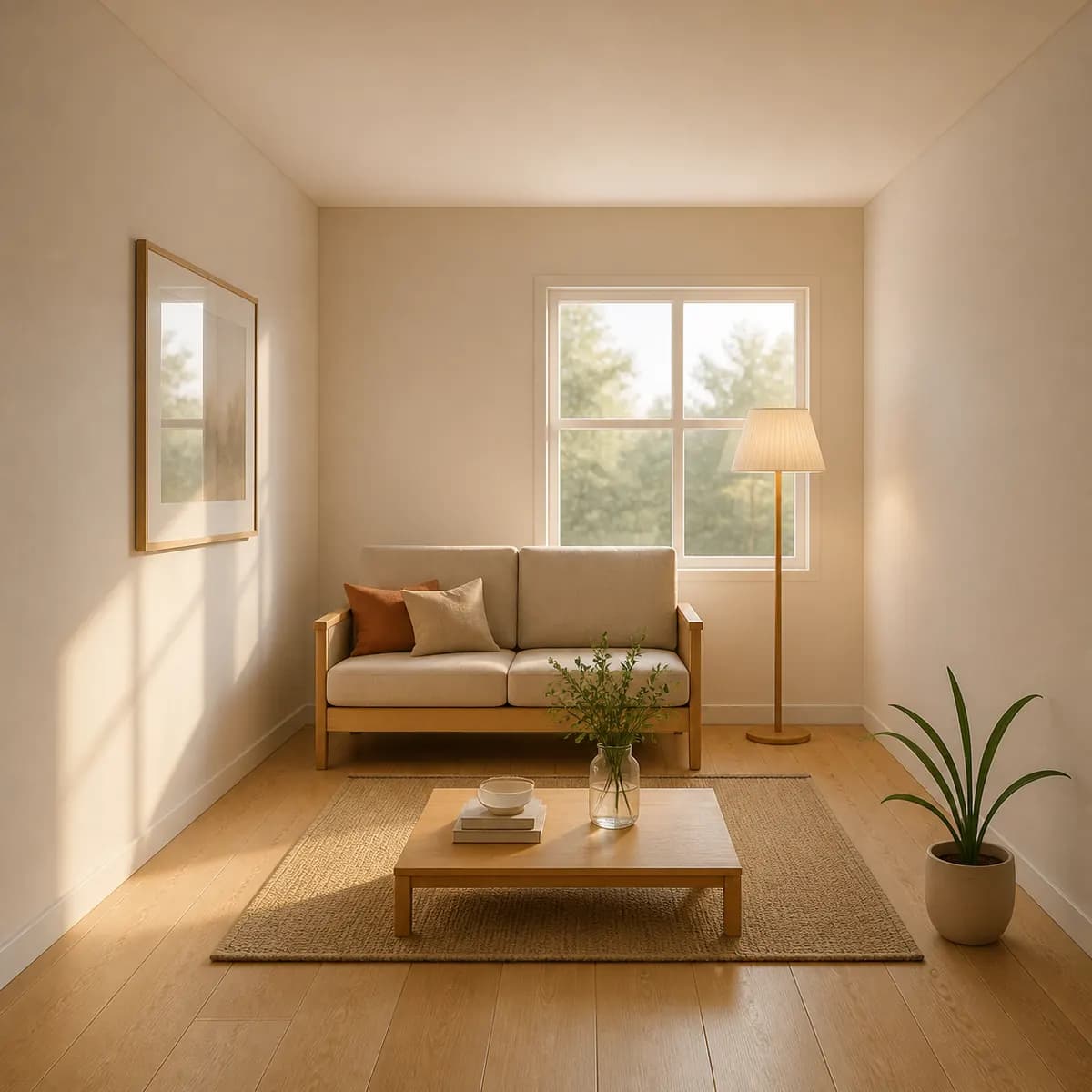
Most of the red is perspective: the ceiling-corner diagonals, the floor guide lines, and the rug drawn as nested rectangles. A finished room does not draw its construction lines, so interior sketches score lower than exteriors. That alone would be fine.
Look closer, though, and there is a real shift. The render's back wall is wider on the right, so the window and the floor lamp sit further right than drawn. Some of that still reads blue: the sketch's back-wall corner lands on the render's lamp pole, so it counts as kept. That is the check fooled in your favor, and why you read the image as well as the number. If the window position matters, fix it before a client sees it. Interior design AI renders from a sketch or a photo has more on rooms.
The chair: 52%
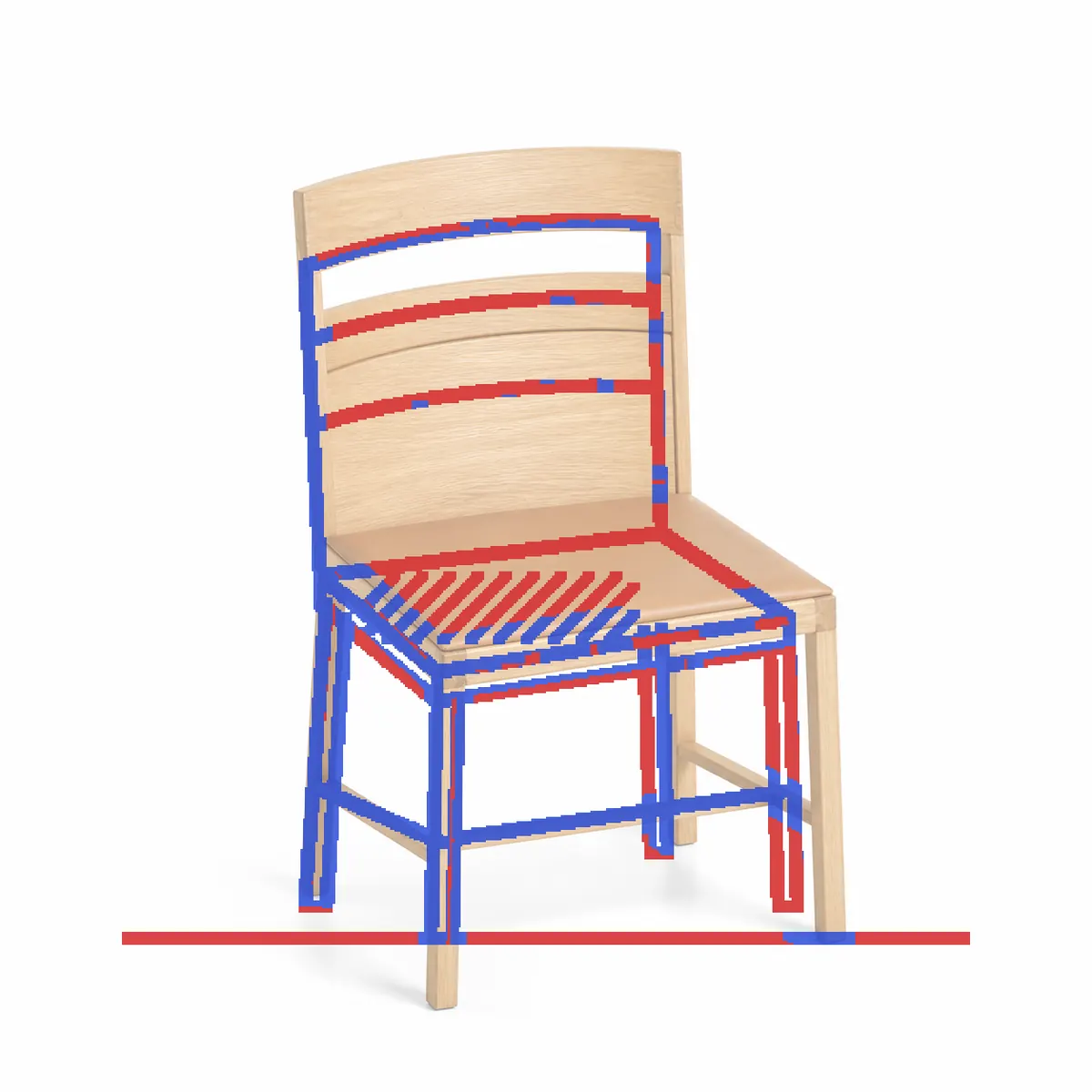
The frame is mostly blue: the front legs, the left back post and the stretchers. The red has three sources. The seat hatching became leather. The floor line has nothing to match, because a studio backdrop has none. And the render draws the chair slightly larger in the frame, so the back rails and right-hand legs sit just off the drawn lines. One interpretation is worth checking: the banded back became a top rail, an open gap and a panel, a reasonable reading of an ambiguous drawing, but still a reading. Overall this is the chair that was drawn. A product render can land around 50% and still be faithful, because a product photo describes form with shading, not outlines.
Limits: where the check will not help
- Very faint sketches. Lines too light to register are not counted, and the render may ignore them too.
- Tiny details. Both images are compared at a modest size, so a hairline glazing bar can be lost or kept without the score noticing.
- Photos. A photo is full of texture and shadow edges rather than design lines, so the score says much less.
- No sketch, no check. A render from a description alone has nothing to compare against, and a sketch with very few lines gets no score.
- Additions, materials and light are not measured at all.
The score is a measure, not a promise, and we do not promise any number.
What to do when a line is lost
- Decide whether it matters. Red hatching, red perspective lines and a red floor line usually do not. Red on an opening, a roof edge or a massing line does.
- Send a follow-up. Same drawing, fresh render. In the design's thread, say what to change, such as "overcast, not night", and leave out words that describe shapes. The new render is a new version; the old one stays.
- Change just this. Brush over the wrong part and say in a few words what belongs there. Only the area around your marks is redrawn, and it costs 5 credits, the same as a render.
- Fix the sketch. Darken the lines that carry the design before you photograph it again.
A house sketch, start to finish shows this loop on one drawing, and the practical guide to sketch to render covers the rest of the workflow.
Questions people ask
How accurate is AI sketch to render?
Image-guided rendering usually keeps massing, openings and roofline, but it can shift an edge, merge lines or add things you did not draw. Check every render against the sketch, either with an overlay or with the line check.
What line-check score should I expect?
There is no typical score. Exterior sketches with clean lines tend to score higher than interiors full of perspective lines, and product renders can sit around 50% while still being faithful.
Does a high score mean the render is faithful?
Not on its own. The score counts sketch lines with an edge nearby, so added objects never lower it and busy texture can raise it. Read the overlay and look at the picture.
Can I run the line check on a photo?
It runs, but a photo has edges everywhere, so the score tells you much less than it does on a drawing or a model screenshot.
A score is a quick first read; the overlay, and your own eye on the openings and the roofline, are the real check. Run the line check on your sketch.