Day to dusk
A twilight listing photo,from the one you took at noon.
Upload a daytime photo of the front of a house. Inkfinish turns the sky to dusk, puts warm light in the windows and on the porch, and keeps the house exactly as photographed. It takes about 20 seconds.
Sign in with a Google account and your first 3 renders are free.
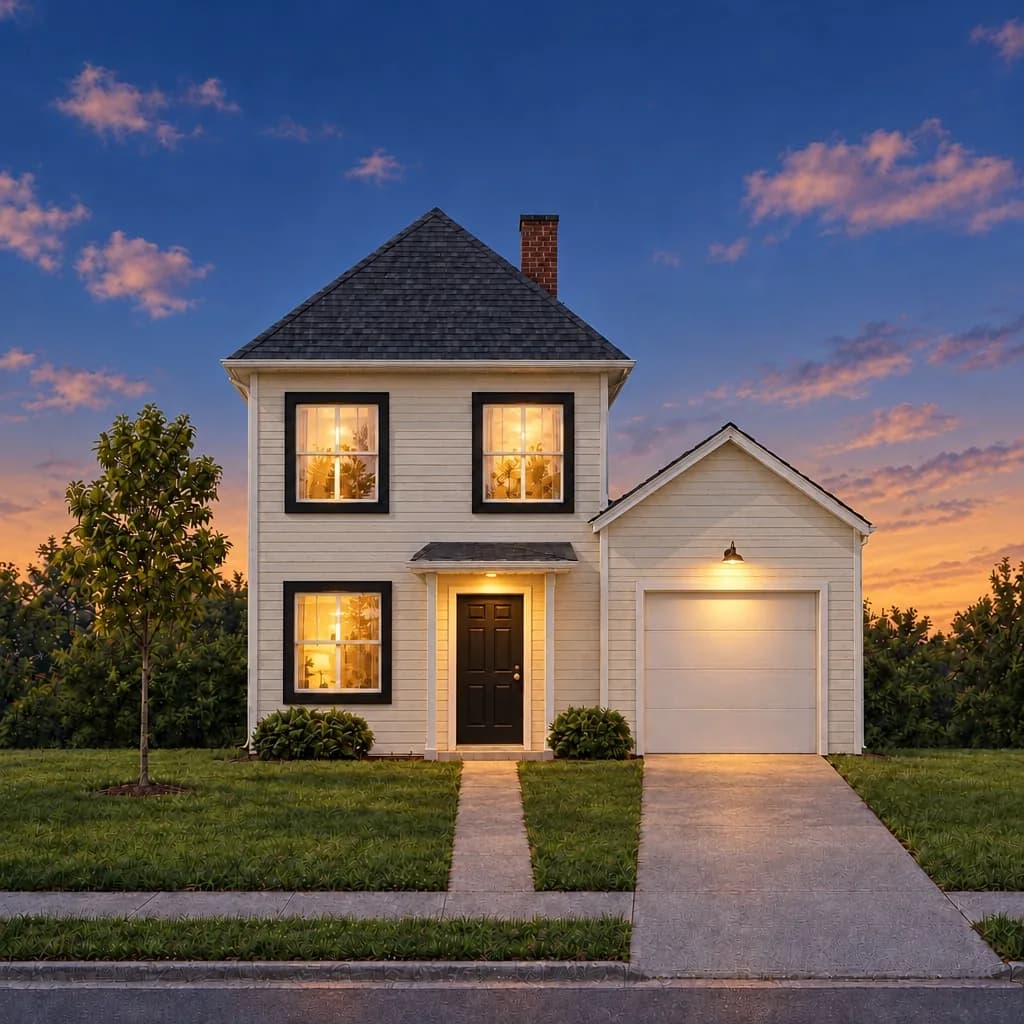 Twilight
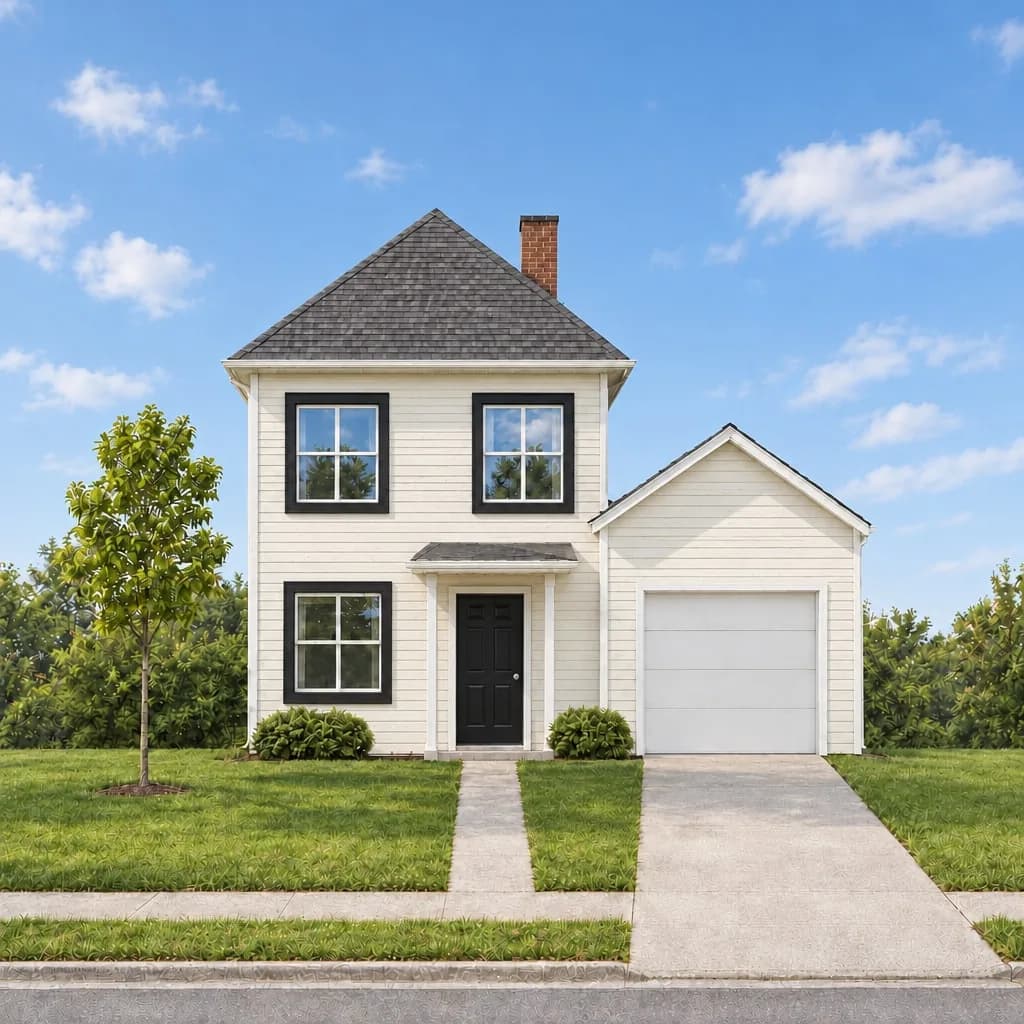 Daytime
How it works
1
Upload a daytime photo of the outside of the house, shot straight on if you can.
2
Ask for twilight in a sentence, or pick Day to dusk in a listing batch.
3
The twilight version arrives in about 20 seconds as a new version, beside your original.
Why it helps
No reshoot at dusk
A twilight shoot means a second visit at the one right half hour. This starts from the photo you already have.
The house stays the house
The words ask for the same roof, windows, door and garden, and you can drag the slider to check every line before you post.
A whole listing at once
With paid credits, a listing batch turns up to 20 exterior photos to dusk together and labels each copy “Virtual twilight”.
Questions
Is a virtual twilight photo allowed in a listing?
Many MLSs allow edited photos when they are disclosed and the property itself is not changed. Rules differ by state and MLS, so check yours. A listing batch labels each copy and keeps the original beside it.
What does it cost?
A render costs 5 credits. Sign in with a Google account and your first 3 renders are free. Free renders carry a watermark; plans and packs remove it.
What makes a good starting photo?
A sharp daytime photo taken straight on, with the whole house in frame. Overcast or sunny both work; very dark or tilted photos give it less to hold on to.