Virtual Staging Disclosure Rules and AB 723
By Inkfinish · · 5 min read
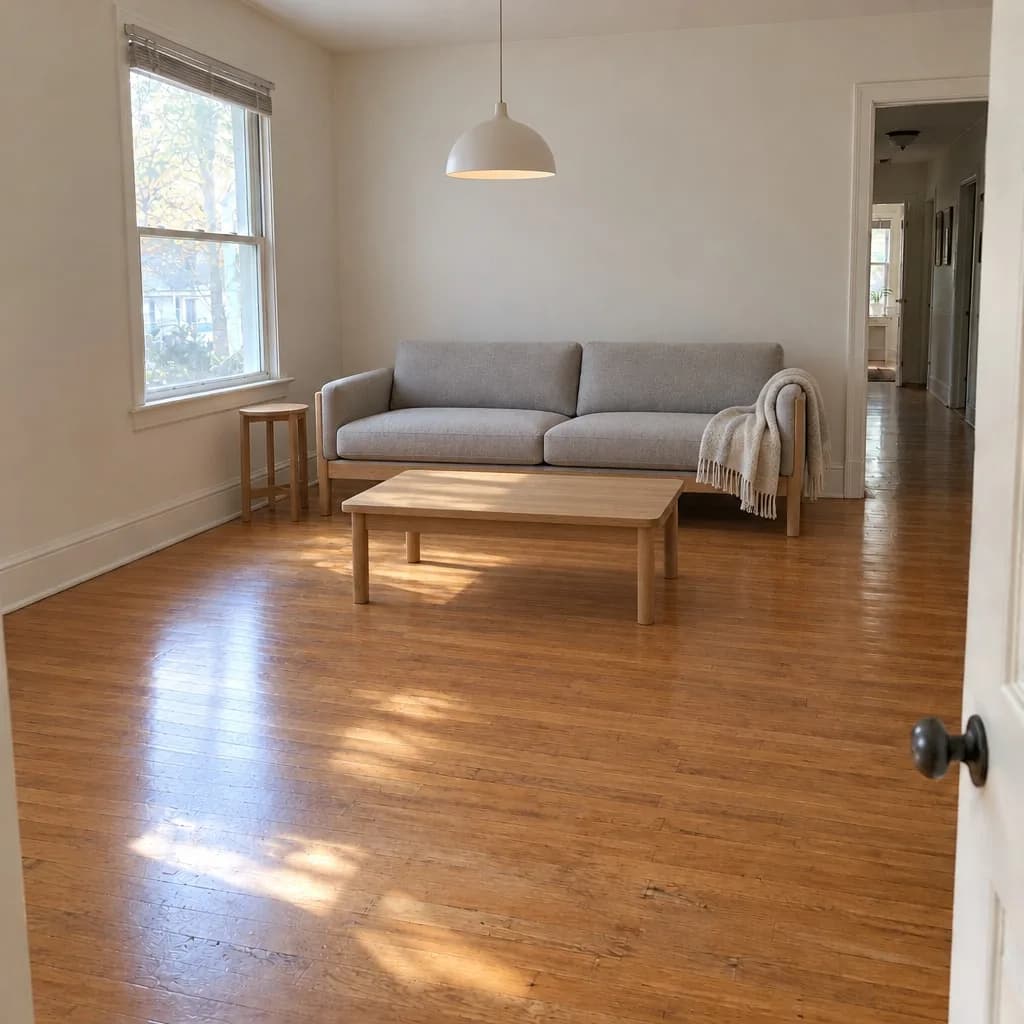 Virtually staged
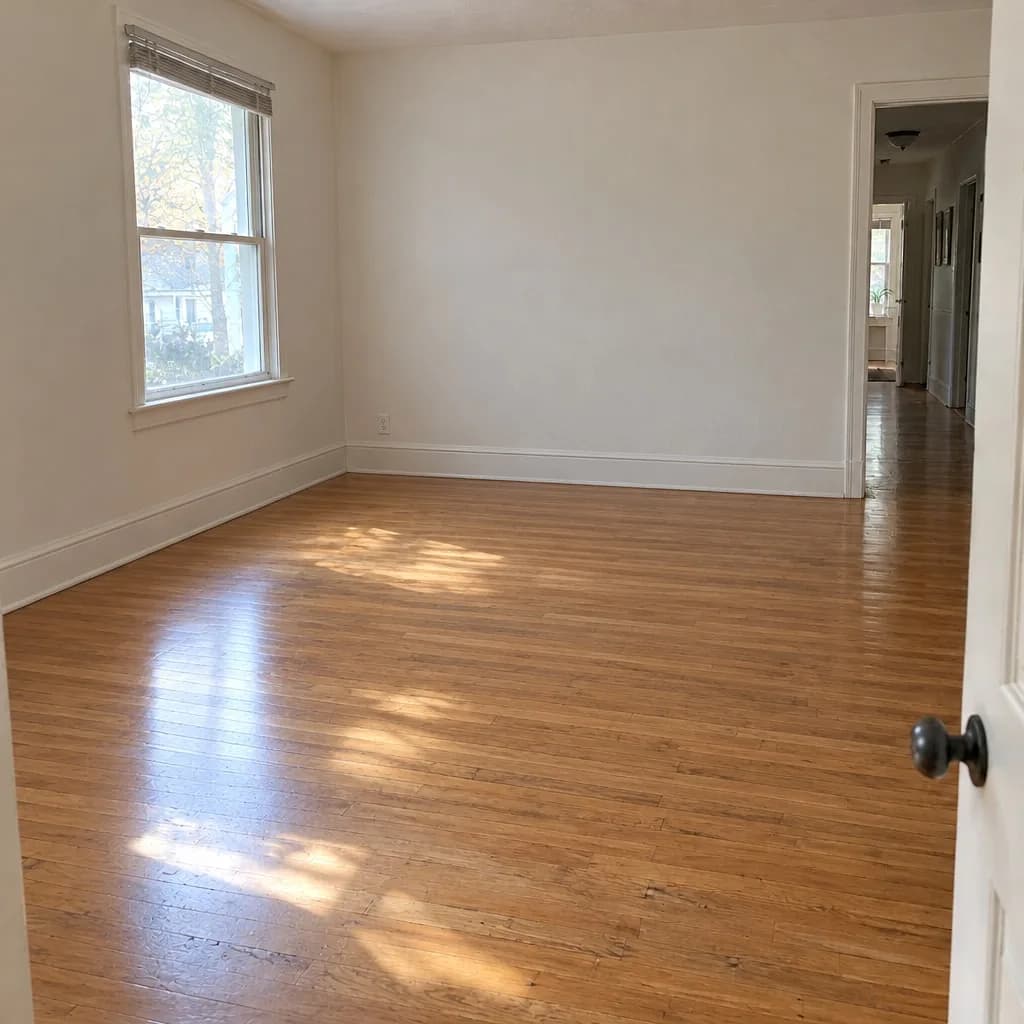 Original
Since January 1, 2026, California's AB 723 has asked for a clear disclosure on digitally altered listing photos and access to the unaltered photo. Many MLSs had rules like this already, and more are adding them. If you use virtual staging, virtual twilight or a sky swap, here is what these rules generally ask for and a simple way to follow them.
This is a general summary, not legal advice. Rules differ by state and MLS, and they change. Check your MLS's rules, and ask your broker, before you post edited photos.
What AB 723 asks for
In general terms, California's AB 723 asks for two things when a listing photo has been digitally altered:
- A clear disclosure that the photo was altered.
- Access to the unaltered photo, so a buyer can see the room as it is.
The exact wording, who the law covers and what counts as altered are in the bill text. The virtually staged label maker links to it, and to the CRMLS FAQ described below.
What MLS rules add
MLS rules often go further than the law. CRMLS published an FAQ in 2026 that asks for:
- The original right before or after the altered photo in the listing.
- A label on the altered photo, with Virtually Staged and AI Altered given as examples.
- No changes to the real parts of the property, such as floors, walls and windows.
Other MLSs word it differently. Look for a section on "digitally altered images", "virtual staging" or "photo rules" in your MLS's rules.
Which edits count as altered
Rules draw the line in different places, so treat this as a way to think about it, not a list of what is allowed:
- Adding things that are not there, such as virtual staging furniture, is the clearest case of an altered photo.
- Removing things, such as emptying a furnished room, also changes what the buyer sees.
- Changing the light or the sky, as in virtual twilight or sky replacement, changes the photo too. Some rules treat it more lightly than staging; others do not. Check yours.
- Changing the property itself, such as new floors, a repaired wall or a better view out of the window, is the edit rules most often forbid, with or without a label.
When in doubt, label it and keep the original beside it. A disclosure that was not needed costs nothing; a missing one can.
Three habits that cover most rules
Most rules ask for the same three things, so these habits cover a lot of ground:
- Label every altered photo in the image itself, so the label stays with the file wherever it is shared.
- Keep the unaltered photo and post it right before or after the altered one.
- Do not change the property: walls, floors, windows, fixtures and views stay as photographed.
How to label virtually staged photos
For photos you edited one at a time, the free virtually staged label maker adds a "Virtually staged" or "Digitally altered" label, or your own words, in your browser. Nothing is uploaded. It can also put the original and the edited photo side by side in one picture for a flyer or a social post. That picture does not replace the unaltered photo as its own file.
For a whole listing, an Inkfinish listing batch stages up to 20 photos in one style. Its download holds every original next to its staged copy, labeled "Virtually staged" in the corner. You can change or clear the label. The real estate page covers the batch in more detail.
Before you upload, the free MLS photo resizer sizes the photos to what your MLS accepts, and the photo metadata remover strips the GPS location from them.
Check that the room did not change
A label does not make an edit allowed. A staged photo that also moved a window or changed the floor can break the rules even with a label on it.
Inkfinish compares every staged photo with the original and gives it a lines-kept score. Drag the compare handle across the result, and look at the walls, windows, doors and floor. If one piece of furniture is wrong, change just that piece rather than staging the whole room again. The guide to free virtual staging walks through it step by step.
Questions people ask
Does AB 723 ban virtual staging?
No. In general terms it asks for a clear disclosure on digitally altered listing photos and access to the unaltered photo. Your MLS may add its own rules about wording and what may be changed. This is not legal advice.
Do virtually staged photos need a watermark?
Most rules ask for a clear label on the altered photo rather than a watermark across it. CRMLS's FAQ gives Virtually Staged and AI Altered as examples of label wording. Check what your MLS wants.
Is a caption enough, or does the label have to be on the photo?
It depends on your MLS. A label drawn into the photo is the safe choice, because it stays on the file when the photo is shared beyond the listing.
Does virtual twilight need a disclosure?
It changes the photo, so treat it as altered unless your MLS says otherwise. Label it and keep the daytime original available.
Does a label make an edited photo compliant?
No. A label is one part. Rules also cover how the original is supplied and what may be changed. Whether a photo meets your rules is for you and your broker to decide.
Ready to stage a room? Stage a listing photo, labeled, with the original kept.